Bring the Bloowatch export with you
Upload the CSV files Bloowatch gives you, read what the import would write, and run it when the report reads right.
The dry run writes nothing. It counts every row in the file and tells you which ones it would create, which ones it would skip, which ones look like records you already have, and which ones it cannot place.
What usually goes wrong
A shop moves systems and the history stays behind. Nine years of customer records become a folder of CSV files nobody opens, and the first returning diver of the season is asked for their certification level as though they had never been in the shop.
What happens instead
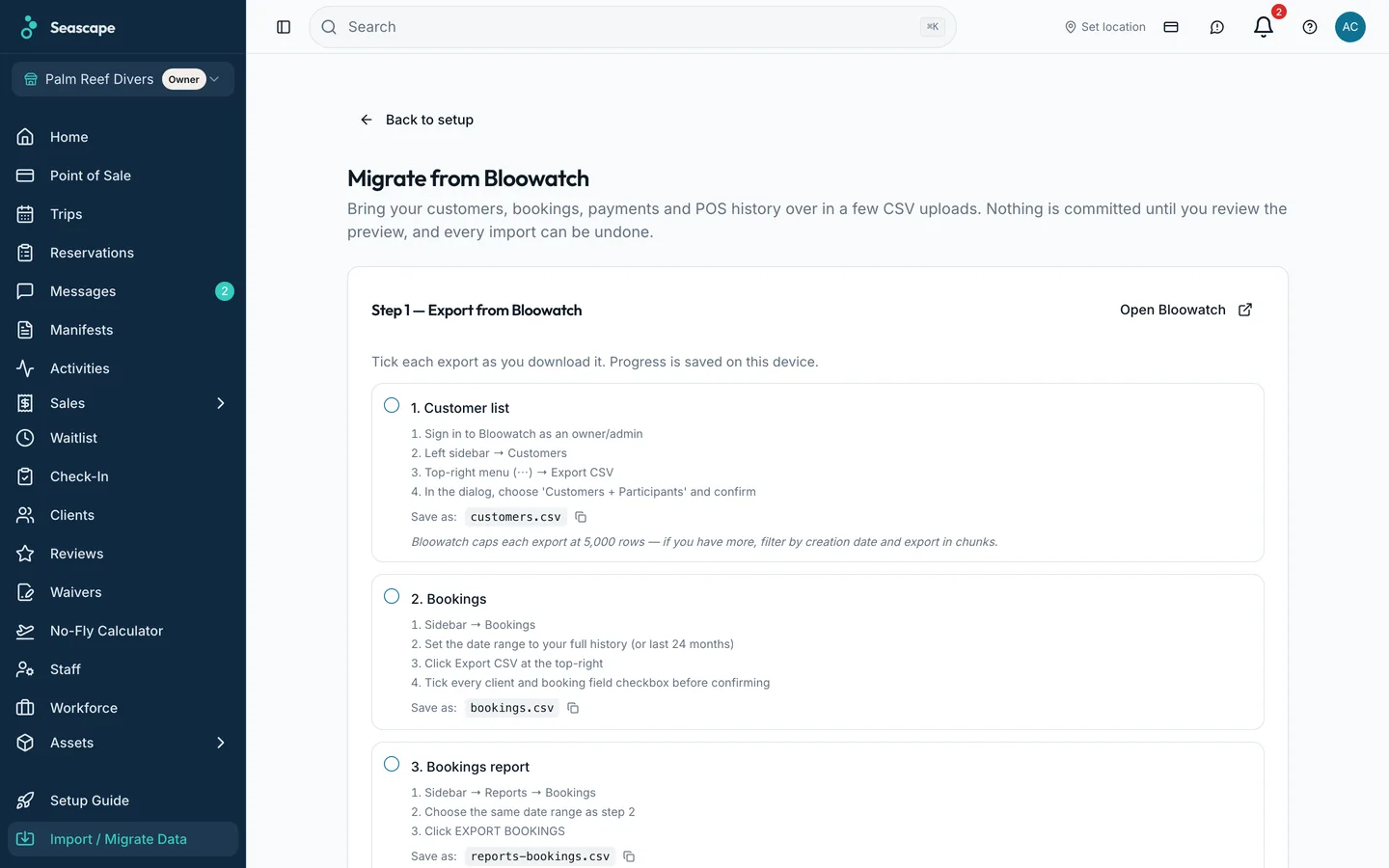
Six kinds of Bloowatch file are recognised from their own headers: customers, bookings, the booking and payment reports, and the two point-of-sale exports. Each one is mapped column by column, counted in a dry run, and written only when you say so.
- 1
Export from Bloowatch
Take the CSV files Bloowatch gives you: customers, bookings, the booking and payment reports, and the two point-of-sale files. The page lists them with a tick against each one you have uploaded.
- 2
Upload and check the columns
Each file's type is recognised from its own headers. The column mapper shows which Bloowatch column feeds which Seascape field, you correct any that are wrong, and the mapping is saved for the next file.
- 3
Read the dry run
Nothing is written yet. The report counts the rows in the file, how many would be created, how many would be skipped, which look like duplicates of records you already have, and which rows it cannot place and why.
- 4
Run it
The import runs in batches under one migration batch, so the rows it created are identifiable afterwards as a set.
What comes across
Customers
Name, date of birth, phone, email and address, from Bloowatch's own customer export. A customer already in Seascape is matched rather than duplicated.
Bookings
Every booking with the activity and the date it was on. The activity is read out of the booking and shown to you before anything is created, so a historical booking links to the activity you actually run.
Payments
Payments are matched back onto the booking they belong to by the Bloowatch booking number captured during the bookings import, and by email where that is missing.
Till sales
Bloowatch's point-of-sale exports, sales and payments, come across as their own files.
Reading the two side by side first? Seascape beside Bloowatch sets out the differences, with every cell sourced and dated.