Schedule every boat from one calendar
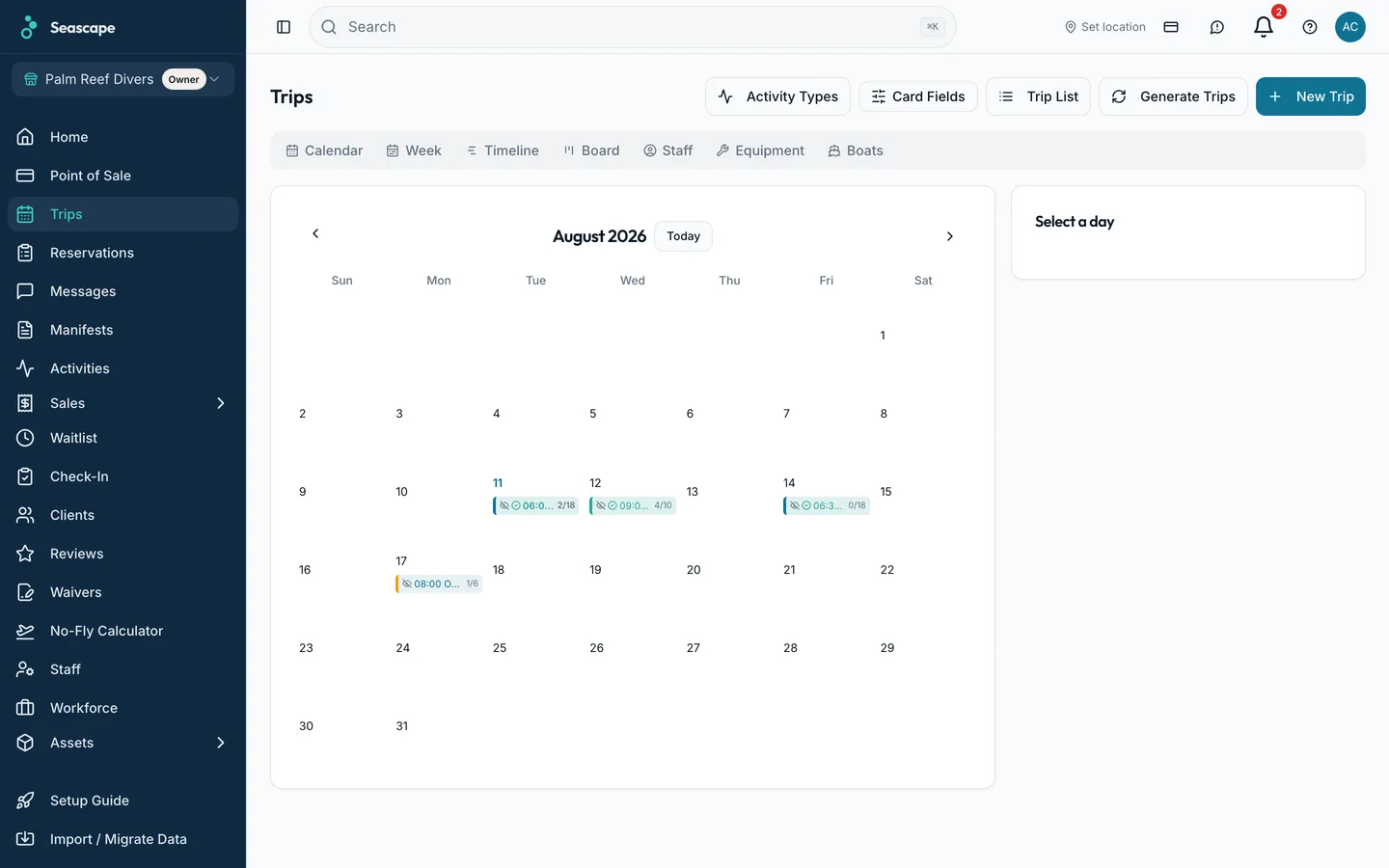
Boats, trips, crew and seats sold, on one screen, with the marine forecast beside it.
Without it
Three boats and two instructors, and the whiteboard cannot answer who is free at ten.
What Seascape does
The calendar shows every boat and every trip, with seats sold against capacity. Drag a trip to another boat, assign crew, build the week from templates, and read the marine forecast on the same screen you plan from.
- Capacity is checked per boat, so a trip cannot oversell.
- Drag a trip to another boat and every booking on it moves with it.
- The regular week is built from trip templates.
What is included
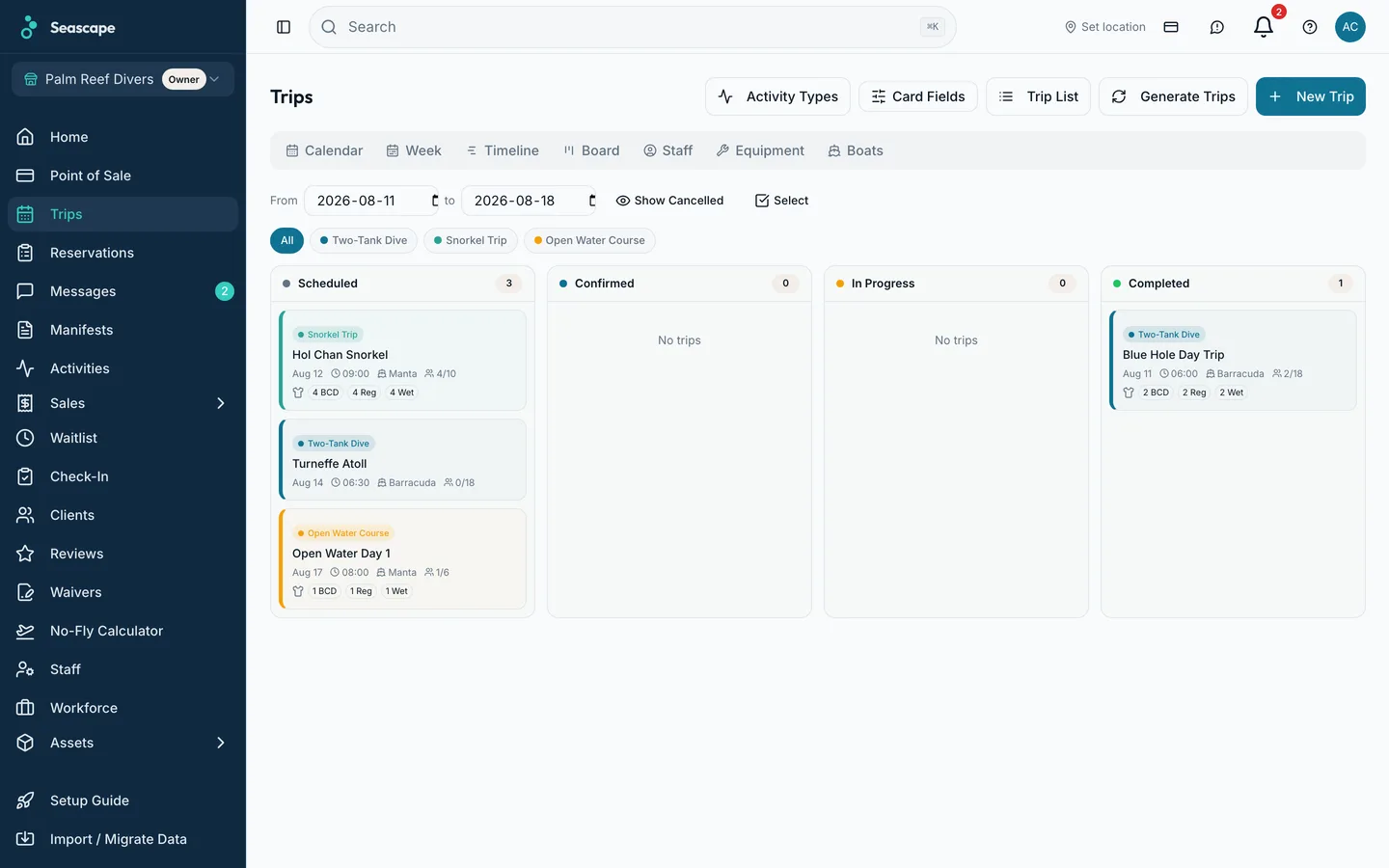
- Seven views of the same day: month, week, timeline, kanban, boat, equipment and staff
- Capacity per boat, enforced
- Drag a trip to another boat
- Crew assigned per trip, with an overlap refused
- Trip templates for the regular week
- A trip that confirms itself at its minimum number of guests
- Move a trip to another day and every booking moves with it
- Refund a whole trip in one action when the wind takes the day
- Marine forecast on the day view
- Subscribe from Google, Apple or Outlook calendars
On the screen
Questions about scheduling
Related
Boat manifests
Names, certification level, gear sizes and weights, per boat. Phone numbers and payment details stay in the office.
Learn moreOnline booking
A guest sees the seats left on each departure, pays the deposit by card, and gets a confirmation with a Booking ID on it. An unpaid seat is released automatically and goes back on sale.
Learn moreClient records
Certification, gear sizes, dive history, waivers signed and every Booking ID, before they walk in.
Learn more