Booking software fordive shops
Sell trips online, keep every boat on one calendar, hand the crew a manifest, and take waivers and deposits before your guest lands in Belize.
Free to start
Sell trips online, keep every boat on one calendar, hand the crew a manifest, and take waivers and deposits before your guest lands in Belize.
Free to start
This is a shop's own booking page, with its real activities and its real departures. Pick a day and take a seat the way your guest would.
Demo · Palm Reef Divers, San Pedro
Step 1 of 4: Activity & date
Every departure below is a trip this shop has scheduled. Pick a day and book a seat.
September 2026
| Su | Mo | Tu | We | Th | Fr | Sa |
|---|---|---|---|---|---|---|
Friday 25 September
Four moments, from the morning briefing to the drawer closing, on the screens they happen on.
Morning
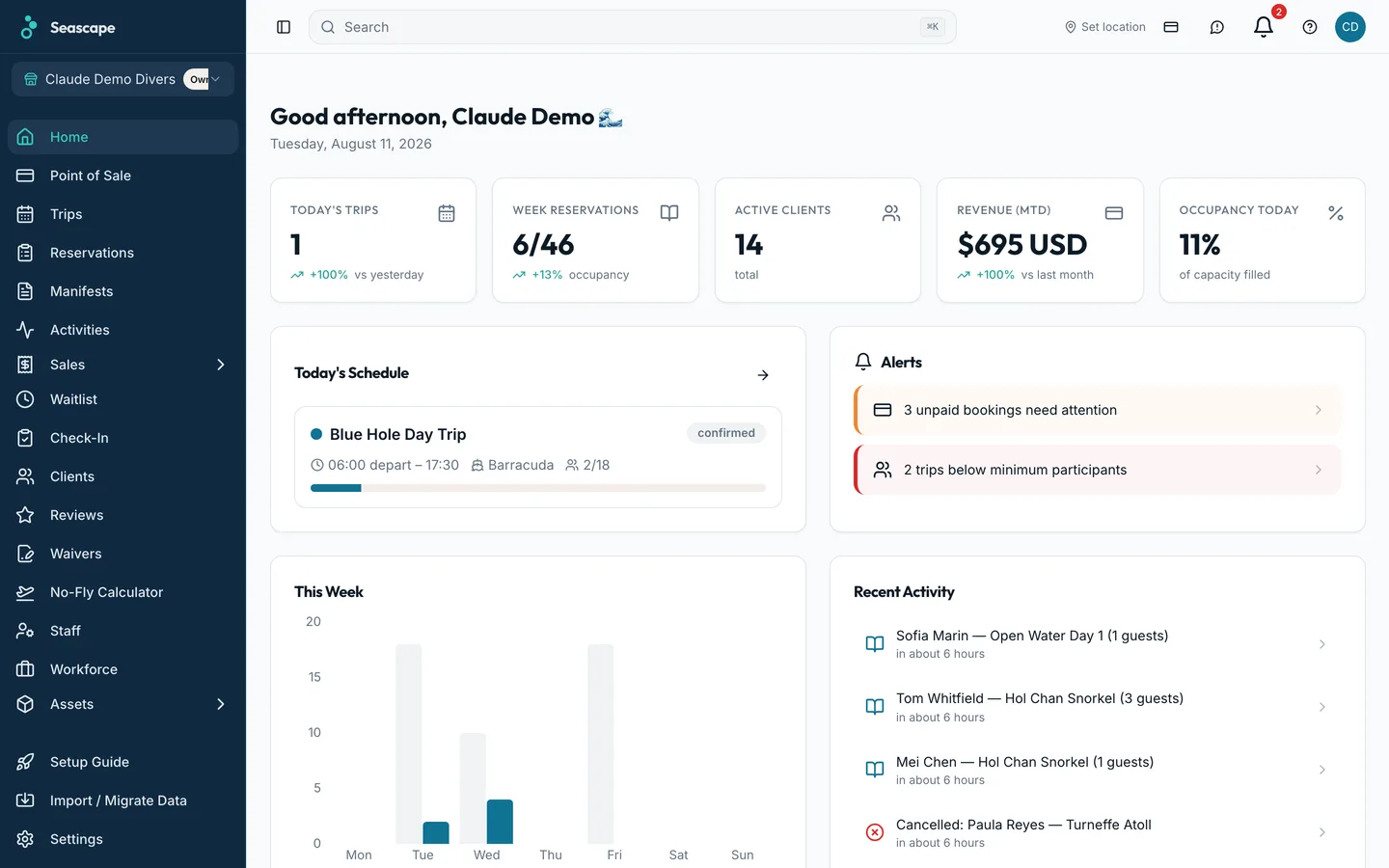
Every departure, seats sold against each boat's capacity, the marine forecast, and who still owes a waiver or a balance. The office and the dock read the same screen.
On the water
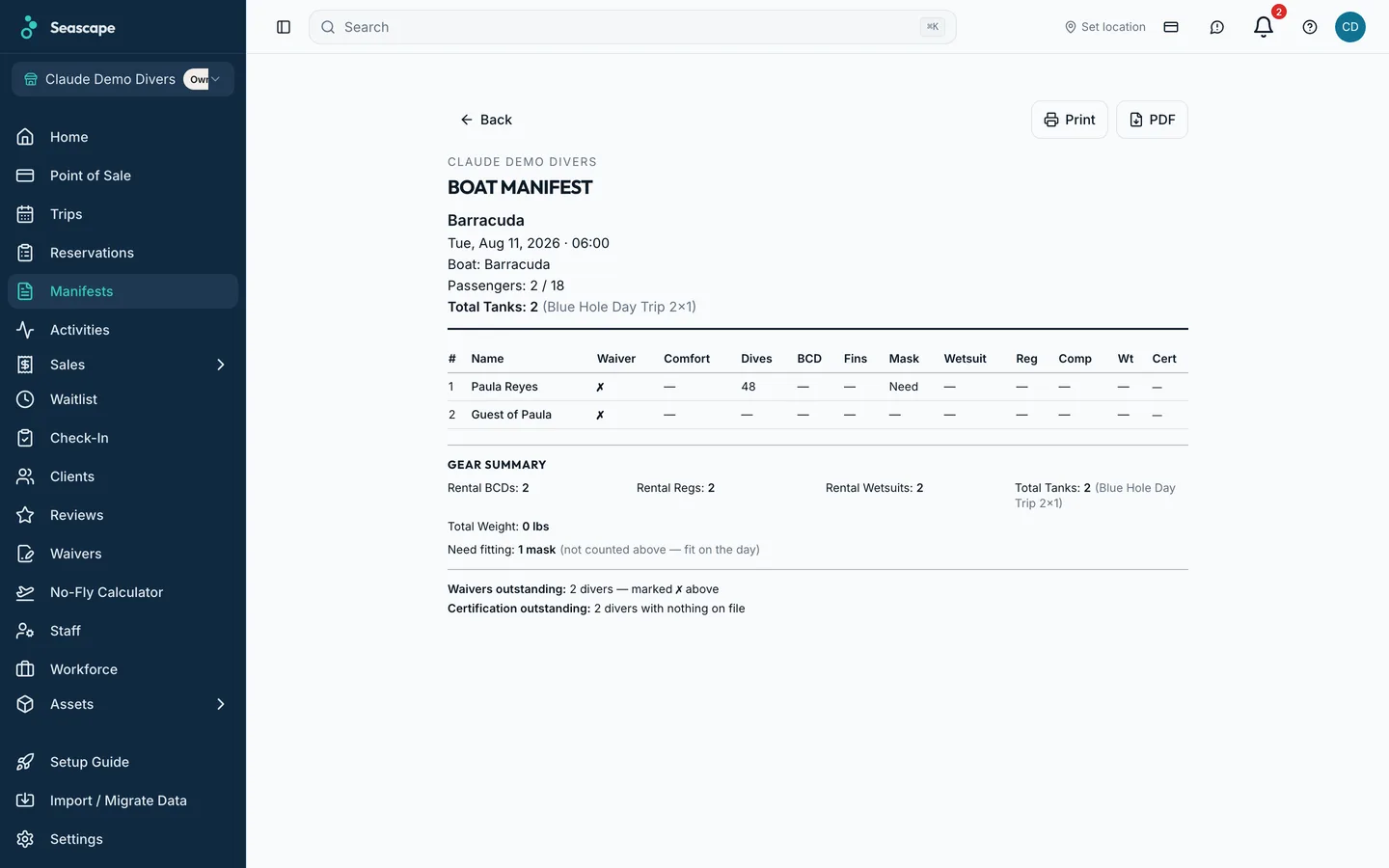
One list per departure: names, certification level, gear sizes and weights. No phone numbers, no payment status. Share it by link and it opens on any phone, and it updates when the booking does.
At the dock
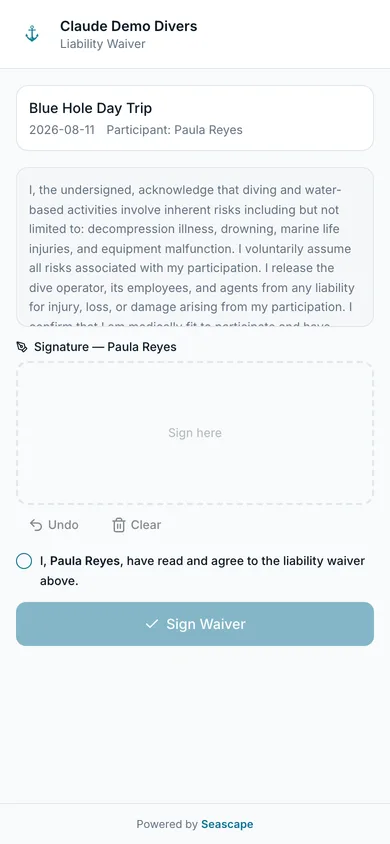
A walk-in scans your QR code, picks the trip and signs the liability waiver on their own phone. A minor's waiver is signed by their guardian, and the record says who signed it.
Evening
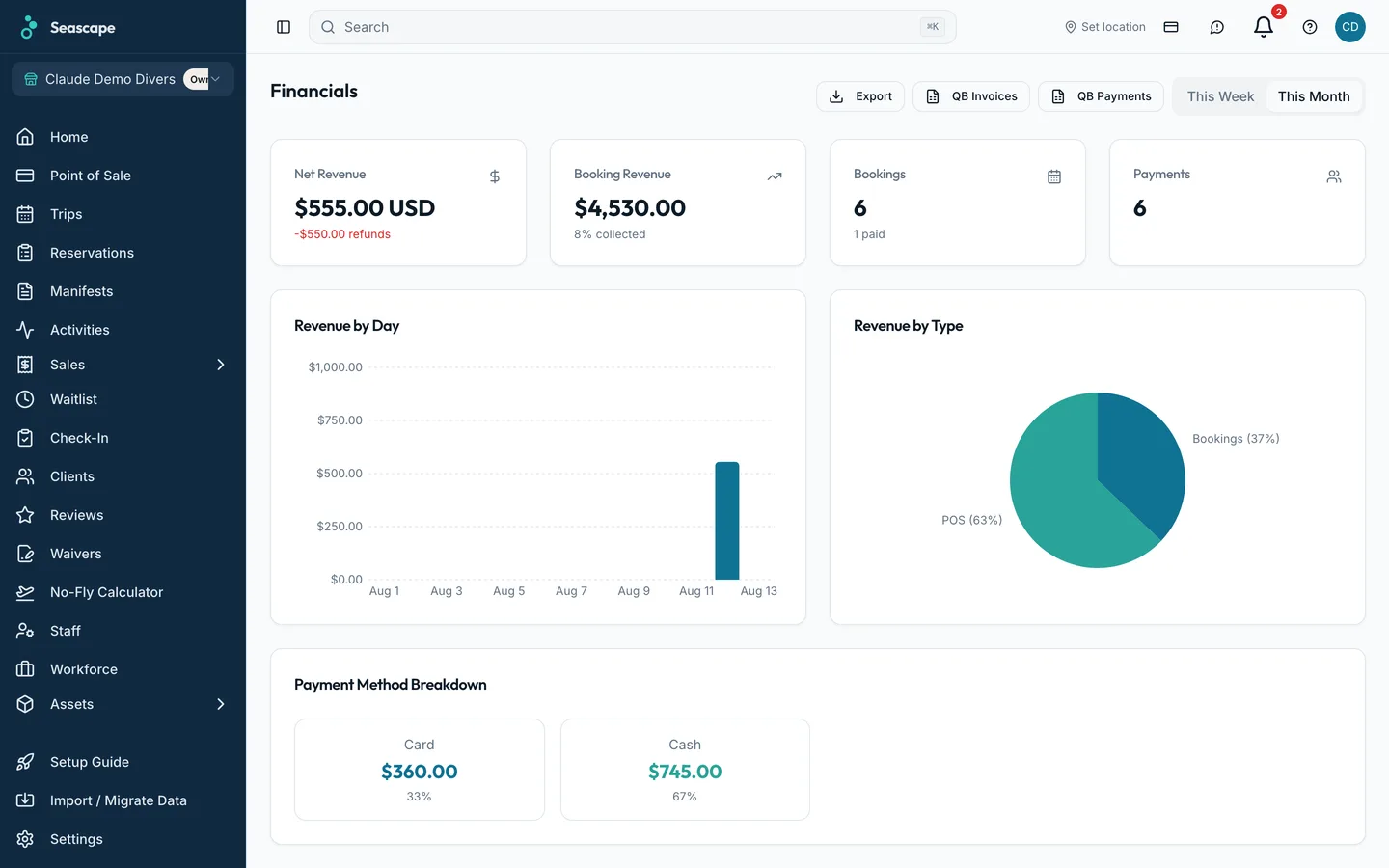
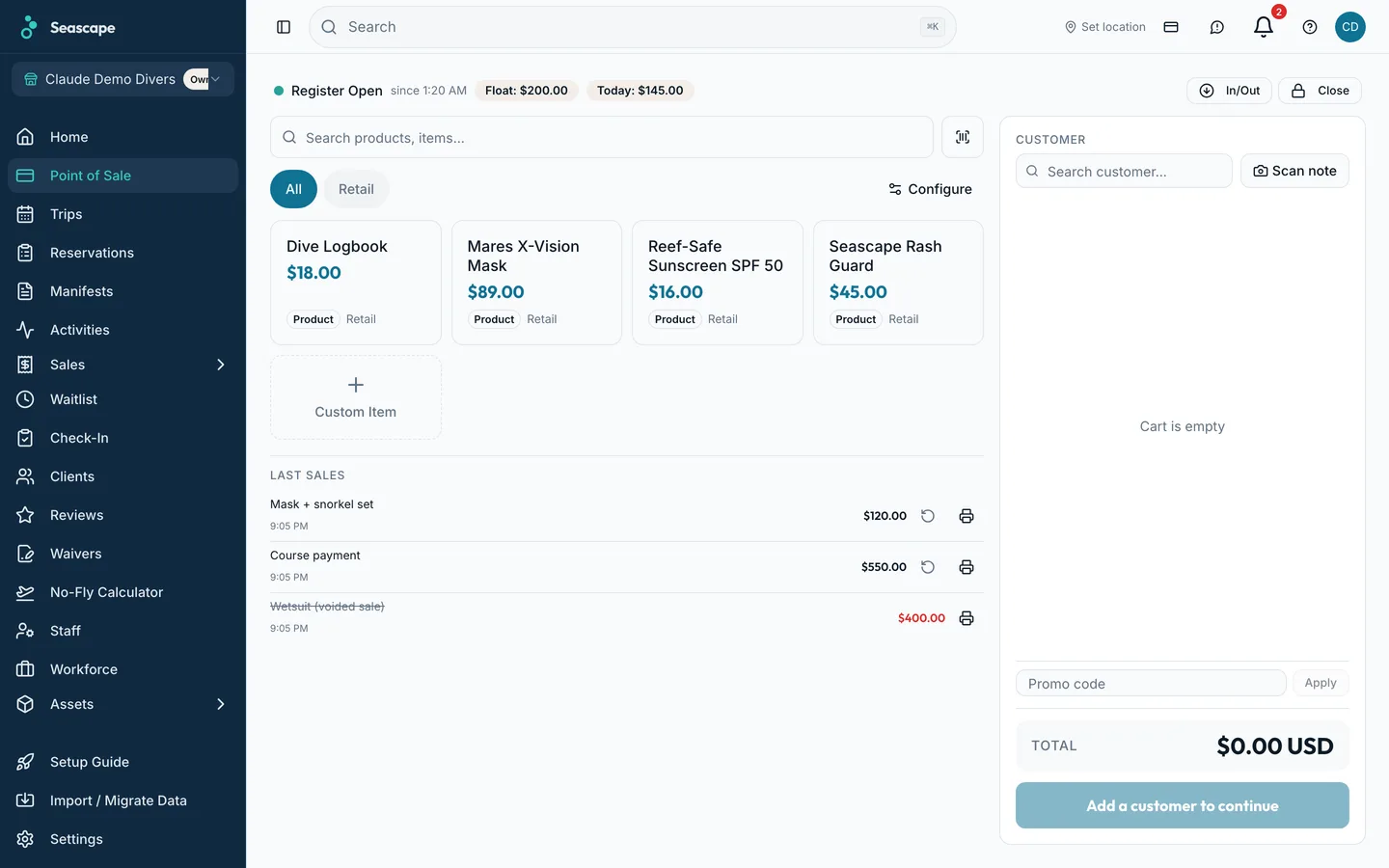
Card deposits, cash at the counter and balances paid from a link all sit on their Booking IDs. The drawer closes against what was rung up, and the day's takings are broken down by activity.
The boats, the people on them and the paperwork they owe you, on the day view the office and the dock both open.
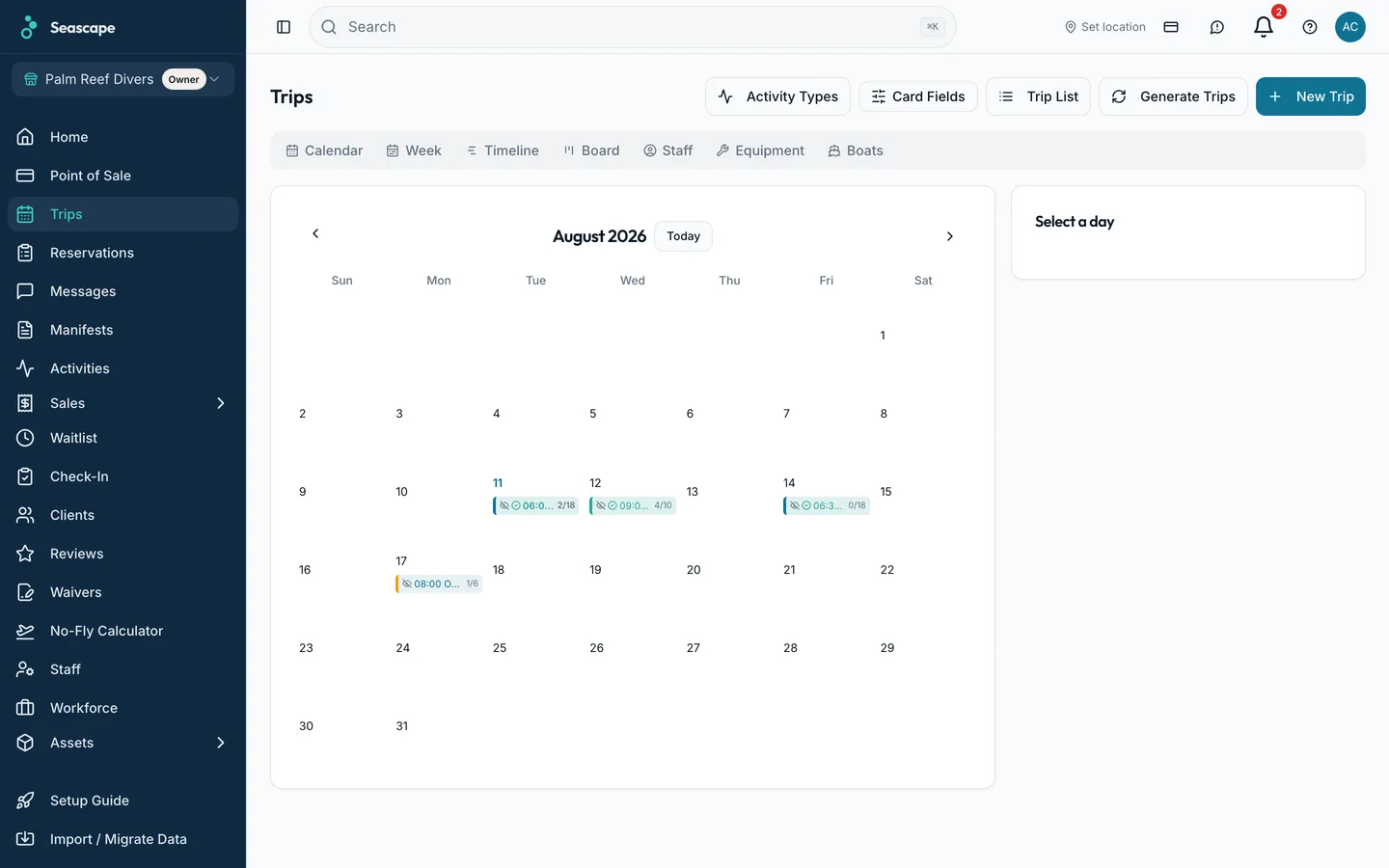
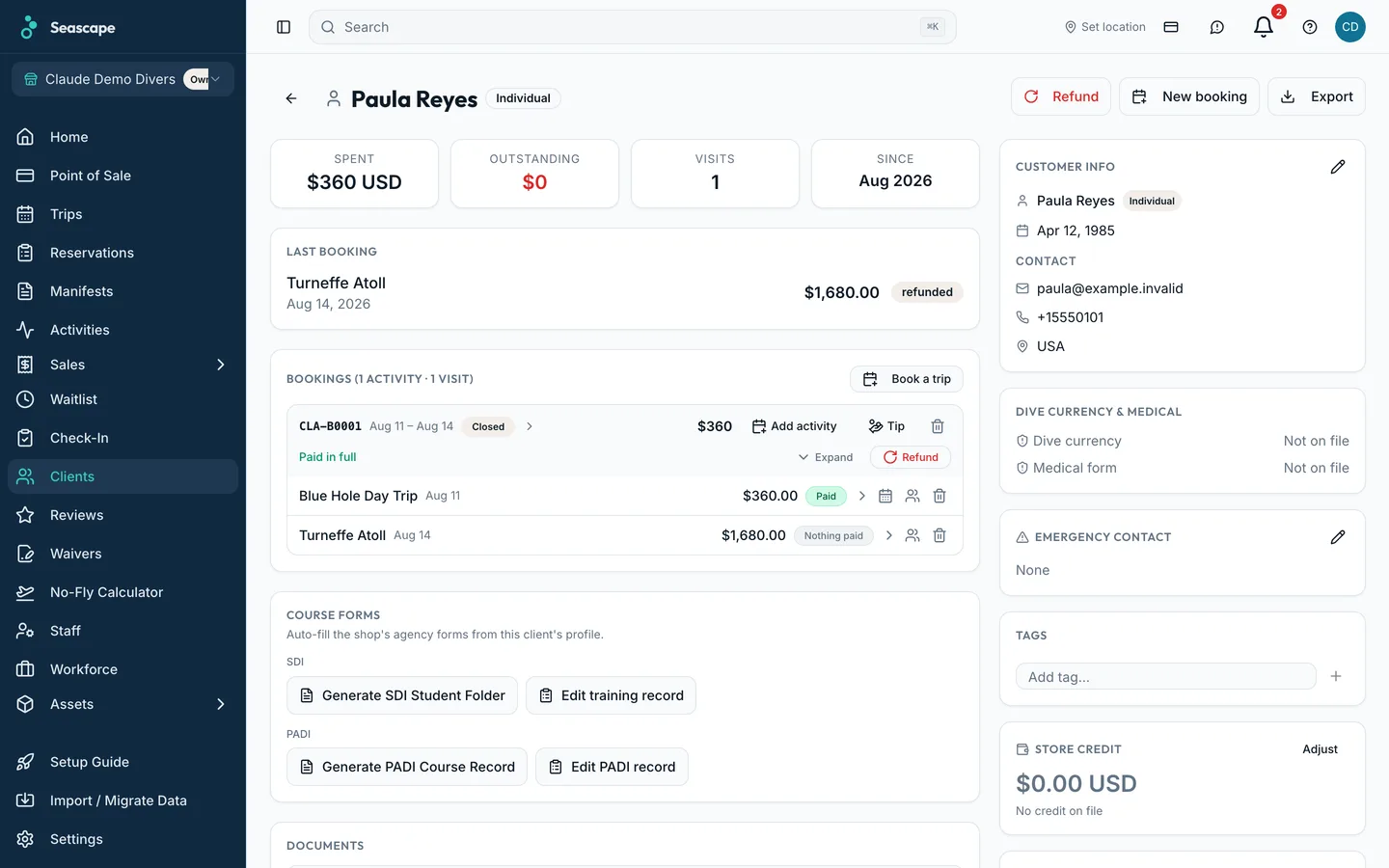
A guest books at midnight, pays a deposit by card, and is on the manifest before you open.
Your activities, your prices and the seats actually left on each departure. Take a deposit per activity — a percentage or a fixed amount per guest — and offer paying in full. Confirmation emails go out the moment a booking is made.
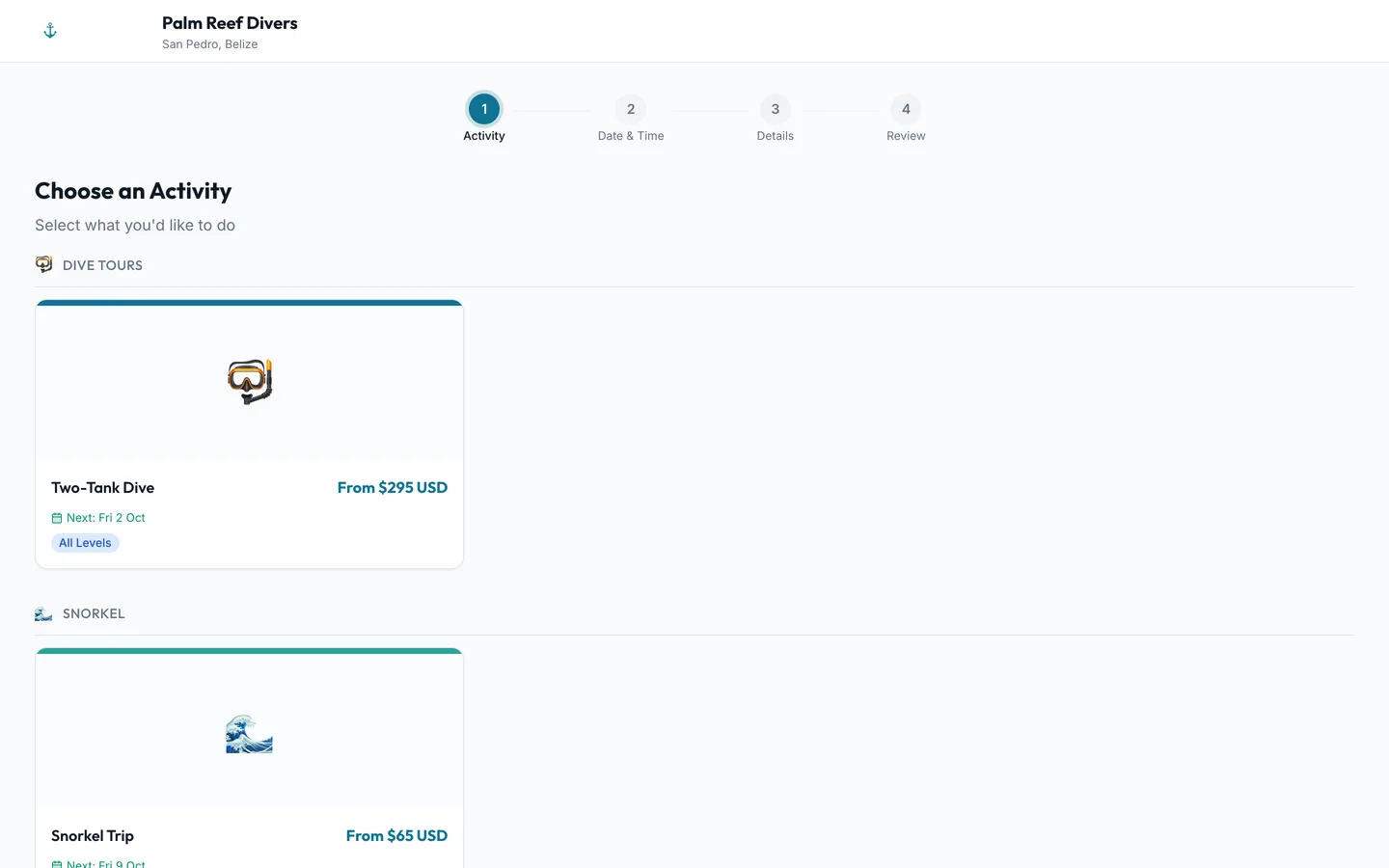
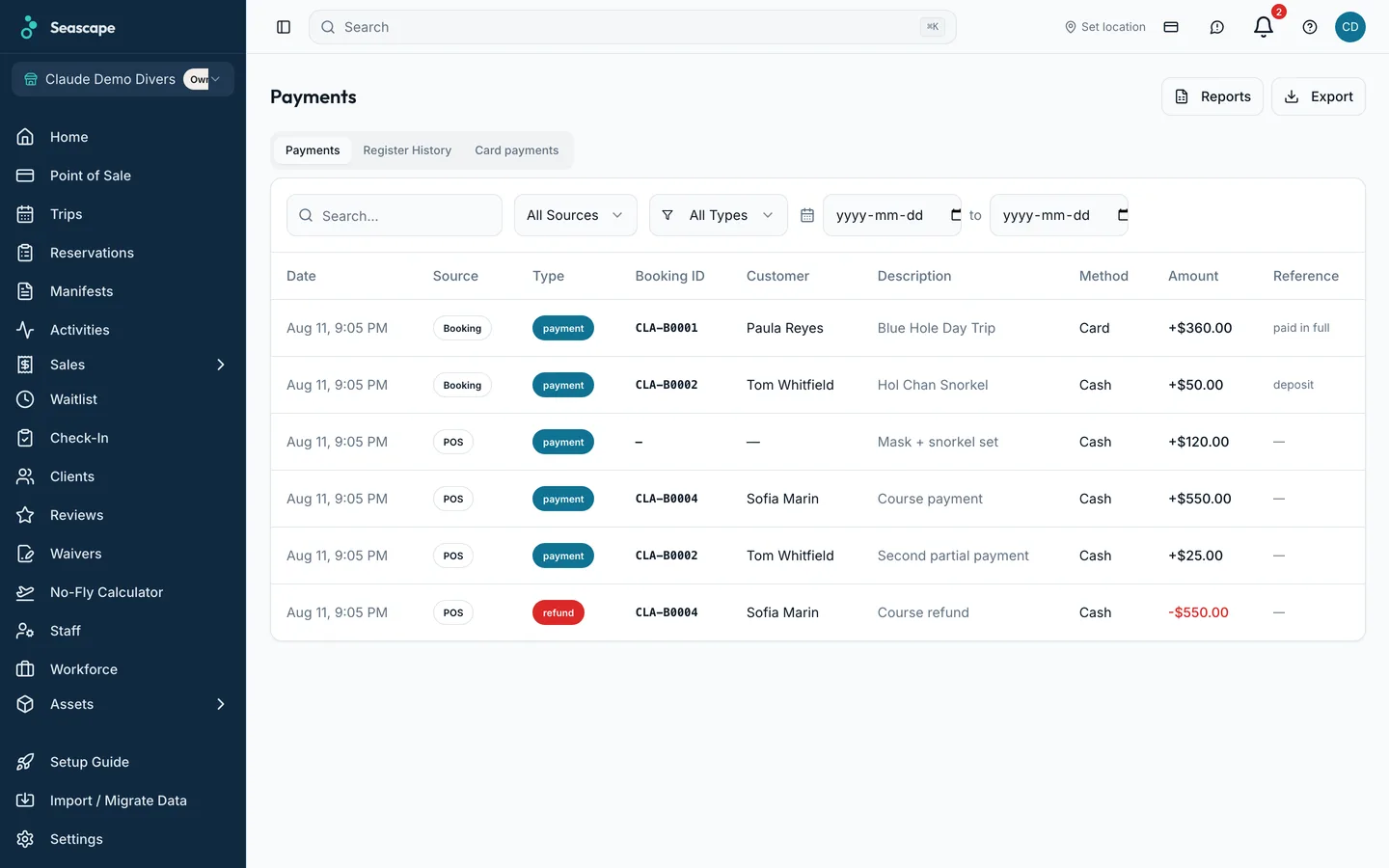
The seats you did not sell are the ones that cost you. Your own booking page, a widget on the site you already have, a waitlist offer when a seat frees and a review request after the trip are the four that fill them.
One subscription covers all of it. Each part has its own page with the screens on it.
A guest sees the seats left on each departure, pays the deposit by card, and gets a confirmation with a Booking ID on it. An unpaid seat is released automatically and goes back on sale.
Learn moreYour guests pay by card through the Belize Bank gateway, and the money settles into your own account in Belize dollars. The deposit is paid by card at booking, the balance from a link before the trip, and every payment lands on its Booking ID.
Learn moreNames, certification level, gear sizes and weights, per boat. Phone numbers and payment details stay in the office.
Learn moreRing up a walk-in dive, a wetsuit rental and a logbook in one sale, and close the drawer against it.
Learn moreCertification, gear sizes, dive history, waivers signed and every Booking ID, before they walk in.
Learn moreBoats, trips, crew and seats sold, on one screen, with the marine forecast beside it.
Learn moreOne code per student, emailed from the booking. The course's days stay together.
Learn moreBuild the page from sections, type into it as you go, and publish when it reads right. The activities on it are the ones you have marked bookable online.
Learn moreThe waiver goes out with the confirmation, is signed on the guest's own phone, and is on their record before the tanks are loaded. The version of the text they agreed to is stored with the signature.
Learn moreEvery email the shop sends carries a reply address that names the booking. The answer comes back into the shop inbox, on the conversation it belongs to.
Learn moreGear is held by size with a count against each one. A diver fitted on one activity is fitted on every activity of the same Booking ID.
Learn moreEvery tank, regulator, boat and van carries its own cadence. Completing a service moves the next date forward on its own.
Learn moreEvery crew member carries their Belize Tourism Board licence number and the date it runs out. The weekly digest names the ones running out.
Learn moreGuests join the waitlist when the trip is full. When a seat frees up you choose who is offered it and how long they have.
Learn moreIssue a card with a code, email it to the person receiving it, and redeem it onto the customer's store credit.
Learn moreA guest who was on a trip that departed gets an email with a link of their own. They rate it out of five, and you decide what is published.
Learn moreA printed QR code books a named departure and leaves the money to be paid at your counter. One payment against the Booking ID is split across its activities.
Learn moreWalk-ins scan a QR code and type their own details. A passport or a cert card is read by the camera, and a seat with a safety field missing cannot be checked in.
Learn moreThe guest answers the ten questions on their own phone. A yes asks for a physician's approval before the seat is secured, and the answers come back as the filled forms.
Learn moreRaise an invoice on its own or against a visit, send a quote with a date it is good until, and reverse money with a credit note that goes back the way it came.
Learn moreOne page for the week's or the month's takings by day, by activity and by payment method, and eight CSV files for whoever does your books.
Learn morePayLink payment links are still supported for shops that use them.
One subscription per shop, whatever number of boats, activities and staff it has. Seascape takes no percentage of what your guest pays.
per shop, billed monthly, cancel any time
Free to start
Add your boats, your activities and your prices, and open your booking page.